
WSOP Free Chips on PC: How to Play and Claim Daily Chips on Desktop (2026)

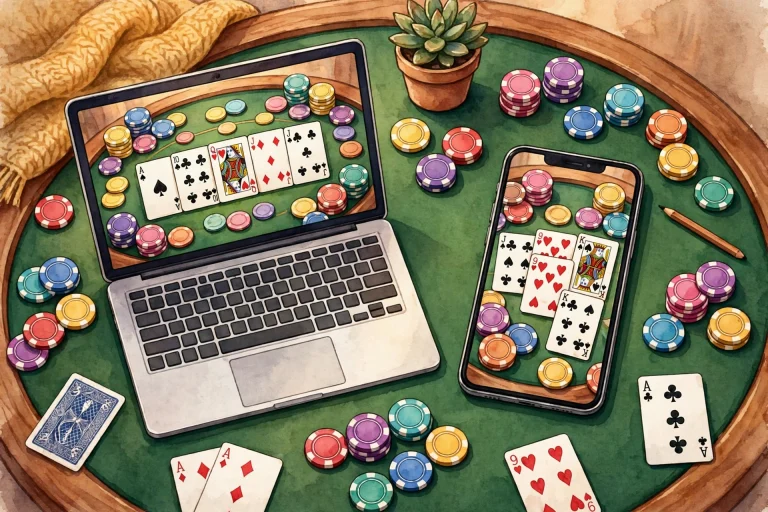
Yes — you can claim WSOP free chips on PC on desktop, without a phone. You play the WSOP game in your browser or through the desktop app, collect the same daily login bonus, four-hour bonus and daily links, and spin the Mega Bonus Wheel, all on a bigger screen. The chips are virtual, for players aged 21 and over, with no real money involved.
I spent years playing WSOP only on my phone, and I assumed the desktop version was a poor cousin — slower, harder to find, and missing the bonuses. Then one evening my phone battery died halfway through a tournament, and I opened the game on my laptop just to finish the hand. I never really went back to playing only on my phone. The cards are bigger, the buttons are easier to hit with a mouse, and claiming the daily bonuses takes about a minute while I am already sitting at my desk.
One honest note before we start. The desktop version changes, just like the phone app does. A button moves, a bonus appears one week and hides the next, and the exact layout depends on whether you are playing in a browser or in the desktop app. Nothing in this guide promises a fixed amount of chips, and there is no verified public WSOP promo code for November 2026, so none is listed here. What follows is the routine that works for me, on a normal laptop, with a free account.
Getting started on your desktop
First, get to the official game. The safest way is to go to the official WSOP site and follow its links to play on desktop, rather than searching for a download somewhere else. If a site you have never heard of offers you a WSOP download with extra chips attached, close it — that is exactly how the scam versions spread. The official game is free to play, and you do not need to pay anything to claim the daily bonuses.
You will need an account, or you can play as a guest. I would sign in with a proper account, because a guest session can be lost if you clear your browser data or switch computers, and with it goes your chip balance and your login streak. When you sign in, take a minute to look around the lobby before you start tapping everything. Find the daily bonus button, the gift icon, the wheel, and your chip balance, so the routine below becomes muscle memory.
Playing in your browser
The browser version is the easiest way to play on your PC, because there is nothing to install. Open your browser, go to the official WSOP site, and start the game from there. I use the same browser I use for everything else, and I keep the game bookmarked so I do not have to search for it each time.
The desktop app option
Some players prefer the desktop app to the browser, and I understand why. The app opens straight to the game, it remembers your login, and it does not share a window with twenty other tabs fighting for your attention. If you go this way, install it only from the official WSOP site or from your computer’s official app store, and nowhere else.
The app and the browser version share the same account, so your chips and your login streak carry over between them. That is the part that matters most to me. I can claim the morning bonus on my laptop, then check the four-hour bonus on my phone later in the day, and nothing is lost in between. If you play on both, just make sure you are signed in to the same account on each — it is easy to accidentally create a second account as a guest and wonder where your chips went.
The daily login bonus on desktop
The daily login bonus is the simplest part of the whole routine, and it is the one I would never skip. Open the game once a day on your PC and the bonus is there, usually as a pop-up or a glowing button in the lobby. Click it, wait a second for the chips to land, and you are done. The whole thing takes less time than waiting for the kettle to boil.
The four-hour bonus
The four-hour bonus is the one people forget, and it is the one that adds up. Every four hours or so, the game lets you collect another small bonus, and on a desktop you are often already sitting there anyway. I claim it when I sit down to work in the morning, again around lunch, and again in the evening, and those three collections together are worth more than the single daily login on its own.
On the desktop the timer usually shows as a countdown, which helps. If yours does not show a timer, just click the gift icon and see what it says — it will either let you collect or tell you how long is left. I keep the game tab open in the background while I work, which makes it easy to glance over and claim the bonus the moment it is ready, instead of remembering to open the game specially.
Daily links on your desktop browser
The daily links are the other half of the routine, and they work very well on a PC — you just open them in your desktop browser instead of tapping them on a phone. Open the link, the game opens, and the chips are added to your balance. It is the same link, the same chips, and on a desktop you can open several in separate tabs one after another without fumbling around.
My routine is simple. I open the daily links page on this site in the morning, work through the newest links first, and close each tab once the game confirms the chips. If a link gives an error, I move on to the next one instead of retrying it five times — a link that has expired or that I have already claimed will not start working because I clicked it again. If you want the full picture of how the daily links fit into the rest of the routine, start with the guide to getting free WSOP chips every day, which explains the whole system in one place.
A word of caution that belongs here, because desktop players see it a lot: if a website promises you a link that gives unlimited chips, or a generator that creates chips on demand, it is a scam. Those sites want your login details or want you to download something nasty. The real links come from WSOP’s own pages and are shared here, and they give a normal bonus, not an impossible one.
The Mega Bonus Wheel on desktop
The Mega Bonus Wheel is one of the more enjoyable parts of the game on a PC, mostly because the wheel is big enough to actually see. It appears in the lobby, usually once a day, and you click to spin it. The prize varies — sometimes it is a modest pile of chips, sometimes a much better one — and that randomness is the whole point of it.
A couple of things I have learned. The wheel is not always there. Sometimes it appears for a few days, then disappears, then comes back with an event. If it is not in your lobby today, it has not vanished forever, and there is no trick to force it to appear. And if it spins forever without stopping, close the game and try again — it is usually a connection hiccup rather than a lost prize.
Keyboard, mouse and screen tips
Playing on a PC gives you two advantages a phone does not: a mouse and a keyboard. The mouse makes betting precise — you can type an exact bet amount instead of dragging a slider with your thumb and overshooting by a zero. I type my bets now, every time, and the number of accidental all-ins in my life has dropped to zero.
The keyboard is less obvious but just as useful. Most desktop versions let you use keys to fold, check or call, and learning those three keys makes the game flow much faster. I would still use the mouse for anything involving real chips in a hand, because a mis-pressed key is worse than a slow click, but for the lobby and the bonuses, the keyboard is quick and easy.
Playing on PC and phone together
You do not have to choose between PC and phone — the best routine uses both. I claim the morning bonus on my laptop, because I am already there, and I claim the four-hour bonus on my phone when I am out, because the phone is in my pocket. The account is the same, so the chips and the streak follow me from one to the other.
If you play on both, the mobile guide is worth reading alongside this one, because the phone version has a few tricks of its own — push notifications, for one, which the desktop does not do as well. The two guides together cover the whole day: desktop in the morning and evening, phone in between.
What to do when the desktop game will not load
Sooner or later, the desktop game will refuse to load, and it is worth knowing the order to try things in, instead of panicking. First, refresh the page or restart the app. Second, check your internet connection — the game needs a steady connection, and a weak Wi-Fi signal is the most common cause I have seen. Third, clear the browser cache or the app cache and try again.
If none of that works, check whether the problem is the game itself. Sometimes WSOP is down for maintenance, and no amount of refreshing on your end will fix it. In that case, wait an hour and try again — the daily bonus will still be there, and a missed hour does not cost you the day. If the problem lasts longer than a day, the links-not-working guide on this site walks through the fixes in the order worth trying, including the ones people usually miss.
A simple daily routine for desktop players:
Here is the routine I actually use, and it fits into a normal day without taking it over. In the morning, open the game on your PC, claim the daily login bonus, spin the wheel if it is there, and work through the newest daily links on this site. That takes about five minutes, and it is the bulk of the day’s free chips.
During the day, claim the four-hour bonus whenever you are at your desk, and use your phone when you are not. In the evening, sit down for a proper session if you feel like playing, and let the chips you collected during the day do the work. You do not need to spend money, and you do not need to play for hours — the routine is the point, not the grind.
If you keep that routine for a week, you will notice the difference. The balance stops swinging wildly, the streak builds, and the game feels relaxed instead of desperate. That is what free chips are for — keeping you playing, not keeping you worried.
Frequently asked questions
Can I claim WSOP free chips on PC without a phone?
Yes. You can play and claim the daily login bonus, the four-hour bonus, the daily links and the Mega Bonus Wheel on a desktop, in a browser or in the desktop app. You do not need a phone at all, and the chips go to the same account.
Is the WSOP desktop version free?
Yes, the WSOP game is free to play on desktop, for players aged 21 and over. The chips are virtual and have no real money value, and you never need to buy anything to claim the daily bonuses. Optional purchases exist in the game, but they are not needed for the routine in this guide.
Do the daily links work on a desktop browser?
Yes. Open a daily link in your desktop browser and the game opens with the chips added to your balance. If a link does not work, it has usually expired or you have already claimed it — move on to the next link rather than retrying the same one.
Is there a WSOP promo code for November 2026?
At the time of writing, no public WSOP promo code has been verified for November 2026, so none is listed here. Most codes shared online are fake or expired, so be careful with any code that asks for your login details or a download.
Can I use the same account on PC and mobile?
Yes, if you sign in to the same account on both. Your chips, your login streak and your progress carry over. Just avoid having the game open on both devices at the same moment, and do not create a second guest account by accident.
What should I do if the game will not load on my PC?
Refresh the page or restart the app first, then check your internet connection, then clear the browser or app cache. If it still will not load, wait an hour — the game may be down for maintenance. Never download a fix or a chip tool from an unofficial site.
That is the whole routine, and it is a calm one. Open the game on your PC in the morning, claim the bonuses, work through the daily links, and let the chips build up while you get on with your day. The desktop is the most comfortable way I have found to play WSOP, and once you have tried it, the phone starts to feel like the backup, not the main event.
One last reminder, because it is the rule that keeps the game fun: the chips are virtual, the game is for players aged 21 and over, and there is no real money to win or lose here. Play for the game itself, keep the routine short, and the chips will take care of themselves.
If you want to check the official game for yourself, you can find it at the official WSOP site. https://www.wsop.com/ — open it in a new tab and follow its links to play on desktop.