WSOP Free Chips Links Not Working? How to Fix It (2026)
WSOP free chips links not working? Here are the real reasons — and the fixes that actually work, in the order worth trying
You tap a link, the game opens, and… nothing. No chips, no message, just your normal balance staring back at you. If your WSOP free chips links are not working, you are not alone, and in most cases nothing is wrong with your account. The link itself has usually expired, you have already claimed it, or something on your phone got in the way between the tap and the game.
That is the good news: most of these problems take a minute or two to sort out once you know which one you are dealing with. This guide walks through the causes in plain language, then the fixes in the order I would try them — starting with the one that solves it most often. No downloads, no tricks, and nothing that puts your account at risk.
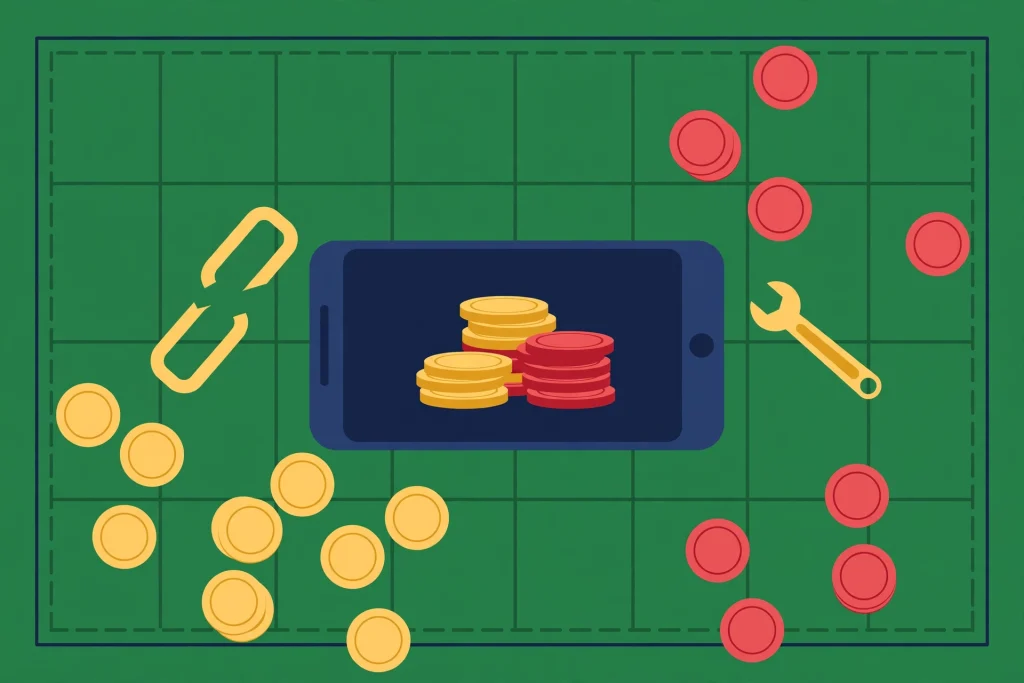
A broken link is frustrating — but it is usually a two-minute fix, not a lost account.
Start here: match your problem to the likely cause
Before changing any settings, look at what actually happened when you tapped the link. The symptom usually points straight at the cause, and it saves you working through fixes that were never going to help.
What happens | Likely cause | First fix to try |
The game opens but no chips arrive | Link expired, or already claimed | Try a fresh link from today’s list |
You are told the reward was collected | That link is already used on your account | Move on — one claim per link |
The link opens in a browser, not the game | The app did not take over the link | Open the app first, then tap again |
A blank or frozen page appears | Cache, ad blocker or weak connection | Clear cache, turn off VPN, retry on Wi-Fi |
Chips went to a different account | You were logged in as a guest or another profile | Log in to your main account first |
Nothing opens at all when you tap | Outdated app or a copied, broken link | Update the app and tap the original link |
If your symptom is the first one — the game opens and nothing arrives — read the next section before anything else. That single case accounts for most complaints about WSOP free chips links not working.
Why WSOP free chips links stop working
1. The link has expired
Free chip links are short-lived. They are posted for that day’s players, and many of them stop working within hours — sometimes faster when a lot of people claim them. A link you saved last week, screenshotted, or found in an old post is very likely dead, however genuine it was when it was shared. This is the number one reason a WSOP free chips link does not work, and no setting on your phone can revive an expired one. The only fix is a fresher link.
2. You have already claimed it
Each link can normally be claimed once per account. If you tapped it earlier — perhaps half asleep, perhaps while the game was already open — the chips may have landed without you noticing the animation. Tapping it again later then does nothing, which feels like a broken link but is really the game saying: you have had this one. Check your balance history in your head: if your stack jumped earlier today, this is probably it.
3. You are logged into the wrong account
This one catches out more people than you would expect. If the game opens as a guest account, or under a different login from the one you normally play, the chips go to that profile — or the link fails because the account state does not match. If you play on more than one device, it is easy to end up signed in differently on each. Always check the name and avatar in the lobby before claiming.
4. The link opened in your browser instead of the app
Chip links are meant to hand you over to the WSOP app. If your phone opens them in a browser tab instead — which happens after some updates, or if you tap a link inside another app’s built-in browser — the handover can fail quietly. You end up looking at a web page, and the game never receives the claim.
5. The app, cache or connection is in a bad state
An out-of-date app, a clogged cache, an ad blocker, or a VPN can all interrupt the short journey from link to lobby. So can a weak mobile signal at the exact moment you tap. These causes look random — a link fails at home, works at work — which is why they are worth checking after the simpler explanations above.
WSOP free chips links not working? Try these fixes in order
Work down this list and stop as soon as a link lands properly. Most players will be done by step two or three.
Get a fresh link first. Before touching any setting, try a link posted today. If a brand-new link works, your phone was never the problem — the old link had simply expired, and you can stop here.
Open the app before you tap. Launch WSOP yourself, wait until the lobby has fully loaded and you can see your balance, then switch back and tap the link. This one habit fixes the browser-instead-of-app problem and a lot of silent failures.
Check you are signed in to your main account. Look at the profile shown in the lobby. If it is a guest account or a name you do not recognise, log out and back in with your usual account, then claim again with a fresh link.
Close the game completely and reopen it. Do not just minimise it — swipe it away from your recent apps, wait a few seconds, and open it fresh. A stuck session is a common reason rewards do not appear.
Clear the app cache (Android) or reinstall cleanly (iPhone). On Android, go to Settings, Apps, WSOP, Storage, and clear the cache — not the data. On iPhone there is no cache button, so deleting and reinstalling the app does the same job. Sign back in afterwards and your account, chips and progress return, because they are kept on the game’s side, not on your phone.
Update the app. Check the Play Store or App Store for a WSOP update. Links created for a newer version of the game can fail in an older one, and updates are free and quick.
Turn off your VPN and ad blocker for the claim. Both can block the redirect the link depends on. Turn them off, tap a fresh link, and turn them back on afterwards if you use them.
Change how you are connected. If you are on mobile data with a weak signal, try Wi-Fi, or the other way round. Then tap the link once and give the game a good ten seconds to load before tapping anything else.
Tap the original link, not a copy. Links forwarded through chats or copied from screenshots can lose characters or pick up extra text. Go back to the page where the link was posted and tap it there directly.
One warning while you work through that list: tap once and wait. Repeated fast tapping does not speed anything up, and it can leave you unsure whether a claim went through — which is how people end up thinking a second, separate link has failed too.
Extra checks on Android and iPhone
On Android
If links keep opening in Chrome instead of the game, check the app’s default settings. Go to Settings, Apps, WSOP, then look for the option about opening supported links, and make sure the app is allowed to open them. Also try tapping the link from a different place: a link that fails inside one app’s built-in browser will often work when the same page is opened in Chrome first.
On iPhone and iPad
On iPhone, the handover depends on the app being properly installed and updated, so a delete-and-reinstall is the reliable reset when links misbehave. If you use Safari’s Private Browsing, come out of it before claiming — private tabs do not always hand over to apps cleanly. And if the link opens the App Store instead of your installed game, that is another sign the installed app needs updating or reinstalling.
How to claim correctly, so it stops happening
Once things are working again, a small routine keeps them working. It takes under a minute:
Claim links the day they are posted. Treat every link as same-day only, because many of them are.
Open the game first and let the lobby load, with your main account signed in.
Tap the link once, wait for the game to come to the front, and watch for the reward to appear.
If a link fails, note why — expired, already claimed — instead of tapping it five more times.
Come back for fresh links rather than hunting through old posts, group threads or screenshots.
The simplest version of that last point: use today’s WSOP free chips today on our homepage, where the daily links are gathered in one place, instead of chasing copies that other people shared days ago. Fresh in, tapped once, claimed — that is the whole system.
Be careful with fake “fix” links
When a real link fails, it is tempting to search quickly and tap the first promising result. Slow down there. A genuine chip link takes you into the official game and asks for nothing. A fake one usually reveals itself fast:
It asks for your game password, email login or Facebook details. A real claim never needs them.
It asks you to pay, enter card details, or complete surveys to “release” your chips.
It wants you to install a different app, a profile, or a file from outside the official app stores.
It promises amounts that no daily link would ever give, over and over again.
Close any page like that and do not go back to it. Fixing a failed link should never cost you money, information or your account. And a note that applies to everything on this site: WSOP chips are virtual, they have no cash value, they cannot be withdrawn, and the game is for players aged 21 and over. Anyone suggesting otherwise is selling you a story.
When nothing on the list works
If a fresh link, a signed-in account, a cleared cache and an updated app still give you nothing, the problem is probably not yours to fix. Occasionally the game’s servers are busy or a batch of links is faulty, and the honest answer then is to wait an hour and try a new link. If every link fails for a full day on a clean, updated app, contact support from inside the game — through the help or settings menu — and tell them the time you tried and what happened on screen. That detail helps them far more than “links don’t work”.
Do not, in frustration, hand your account to a stranger, a “support” page from a search ad, or anyone offering to claim links on your behalf. That is how accounts are actually lost — not through expired links.
Frequently asked questions
Why did my WSOP free chips link open the game but give me no chips?
That almost always means the link had expired or you had already claimed it. Each link works once per account and only for a short time. Try a link posted today, with the game already open and your main account signed in.
Can I claim the same free chips link twice?
No. One claim per link, per account is the normal rule. If you play on a second device signed into the same account, it still counts as claimed — the account matters, not the phone.
Why do the chips sometimes go to a guest account?
Because that is the account the game had open when the link arrived. If you normally play signed in, open the game first, check the profile in the lobby, and only then tap the link.
Is it safe to clear the WSOP app cache or reinstall the app?
Yes. Your account, chips and progress are stored by the game, not inside the app on your phone. After clearing the cache or reinstalling, sign back in with your usual account and everything returns.
Do free chips links work on both Android and iPhone?
Yes, the same daily links are used on both. The fixes differ slightly: Android has a cache button and link-handling settings, while on iPhone a reinstall is the clean reset.
A site offered to fix my links if I log in there. Should I?
No. Never enter your game, email or Facebook login on a page that promises chips or fixes. Real links open the official game and ask for nothing, and real support is contacted from inside the game itself.
Final words
When WSOP free chips links are not working, it feels like something is broken — but most of the time the link is simply old, already used, or it reached the wrong account. Start with a fresh link, have the game open and signed in before you tap, and work down the fix list only if you still need to. Do that, and failed claims become rare instead of routine — and your daily chips go back to being the easy part of your day.